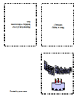
Birthday Card

Birthday Card
Date: Fri, 02/27/2009 - 19:25
Application type: Writer     Language: en
Author: glaserph
Compatibility: Runs with OpenOffice.org 2.0 and higher
License: BSD


Downloads: Today: 29 - Total: 13790

Tell a friend     Report abuse here
Tags:
     
1055_thumbnail.png
3.846155
Average: 3.8 (13 votes)
Your rating: None
     

Downloading this template

Some people have had a problem using this template! To successfully download this template, first click on the picture of the template. Then right click on the picture that appears on the second page. Select Save as Target. Then save the file to your desktop. Double clicking on the saved template will open OpenOffice and the template.

Adding Artwork

There seems to be questions about adding artwork. Original artwork can be created in the Drawing portion of OpenOffice. You can also add pictures and photographs from your files/photographs or the Internet. If you have problems entering pictures/photographs, check to see that you have checked off the correct option under Tools, Options, OpenOffice.org Writer,View. Graphics and Objects should be checked.

Got the words to work, Problems with the graphics

I'm trying to substitute a picture for the cake and getting nowhere fast. I tried left click > insert>picture>from file>open = no result

Birthday Card

I am trying to use birthday card template for the first time, but having problems substituting text and image. I can do this ok in Publisher. Please can you help.

Birthday card problem

I got the words to work. Double left click on the words. Highlight the words. Change the font. Type the words you want. Single left click. You're done! Can someone help with the graphics?

Birthday Card

Just substitute your words and add your own artwork to create a birthday card. This can be modified for use for birthday cards, greeting cards, and thank you notes. Double click on the text area on pages 2 and 3 to enter the text. The text will flip. Use the Drawing portion of OpenOffice to create the artwork. Use Fontworks in the Writer portion of OpenOffice to make fancy text. Send any comments back to glaserph@yahoo.com